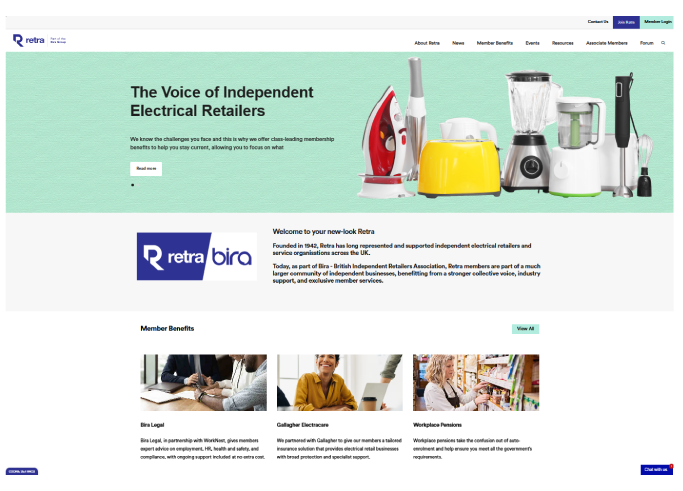
The new-look Retra website is here, and with it comes a fresh new style and easier navigation around the Member Benefits pages, as well as the news and resource pages.
While the overall look and feel is new, there shouldn't be too much change in terms of how you use the website. However, we've given some guidance on the most popular processes below. For anything else, you can reach out to our friendly membership team.
If you experience issues logging into the website, contact the membership team on 0121 446 6688.
If you need any help finding what you’re looking for on the new site, or have any questions, ask Alex, our virtual helper.
Logging in
- Click ‘Member Login’ in the top-right corner of the homepage.
- On the Member Login page (shown below), enter your existing login details.
- If you have forgotten your password, click ‘Forgot Password?’ and follow the instructions provided.
- If you need to request login details, please complete the form in the ‘Login Request’ section.
Visiting your Member’s Area
- Once logged in, click Member's Area in the top right corner
- From here, you can view and edit your details and see when your membership is up for renewal
- You can change your password here too
Save favourite news, resources, benefits and events
The Member's Area allows you to save favourites, including:
- Benefits/Services
- Resources
- News
- Events
To save items here, simply click the blue '+ Add to my...' button on any of the benefits, resource, news or events pages.
Our Forum - Bira Connect
As part of Bira (British Independent Retailers Association), Retra members are part of a much larger community of independent businesses, benefitting from a stronger collective voice, industry support, exclusive member services and access to our Bira Forum.
Using your Retra log in details on the Bira site, join the conversation over in our Forums, ask questions, share experiences and voice your opinions.